Mommy Pehpot

Top Mommy Blogger Philippines- Super Mommy; Award Winning Mommy Blogger

  • Home
  • About Me
  • Work With Me
  • Daily Vlog
  • Disclosure
  • Events

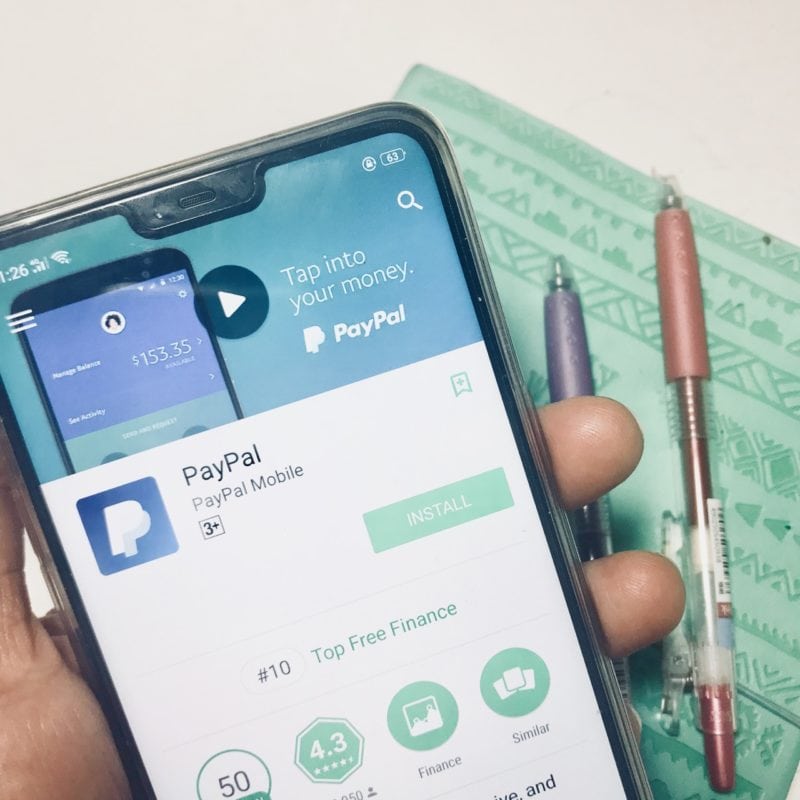
Paano Gumawa ng Paypal Account?

At dahil sa pa promo ng Photobook na FREE 6×6 Photobook for Mommy Blogger Pehpot followers, napagawa ako ng post kung Paano Gumawa ng Paypal Account.

Quick facts:

  1. Ano ba ang paypal? It’s a kind of payment options na madalas gamitin ng mga online sellers and buyers.
  2. Safe ba ang paypal? Yes it is safe. 10 years na ako gumagamit ng paypal. May buyer’s protection kase kaya pag niloko ka ng seller, pwede ka mag ask ng refund.
  3. FREE ba ang paypal? Yes po, ang pag gawa ng paypal account ay FREE.
Paano Gumawa ng Paypal Account

3 Things You Need Kung Paano Gumawa ng Paypal Account

1. Email address. You can use your existing email address.

2. Debit Card (or credit card) para maverify mo ang paypal account mo at magamit mo. Mas maganda kung ang debit card mo ay may online transaction para kita mo agad ang code from paypal. Magbabawas po ng $2 or roughly 100 Pesos ang Paypal sa debit card mo pero babalik ito sa Paypal account mo.

3. $2 or roughly 100 Pesos sa debit card mo.

Step by step guide kung Paano Gumawa ng Paypal Account

  1. Sign up ka sa paypal.com or download mo ang paypal app sa phone mo.
  2. Make sure na kung ano ang pangalan sa debit card/credit card mo eh same as sa ireregister mo sa paypal. Mahigpit ang paypal sa ganyan.
  3. Sundin ang mga steps kung paano mag link ng card at mag verify.

Paano mag verify/link ng debit card/ credit card? 

  1. Mag log in sa inyong paypal account.
  2. Mag verify ng card o mag add ng card. Ilagay ang mga details ng iyong card.
  3. Mag check sa online bank mo para sa transaction code.
  4. Input the transaction code sa paypal.
  5. Start using your paypal.

Paano magbayad gamit ang paypal? 

  1. Pag check out na sa mga online stores/ apps dadalhin ka ng app sa paypal site.
  2. Log in ka sa account mo then pay.
  3. You have an option to use your paypal balance or get balance sa debit/credit card mo. Kung walang laman ang paypal mo, automatic na sa debit card mo yan kukuha ng laman.

Paano magwithraw sa paypal? 

  1. Log in to your paypal account.
  2. Withraw money to your debit card.
  3. May fee? yes pag below 7000 Pesos ang wi withraw mo. Kapag more than 7K, it’s free. How man days? Depends on your bank but usually 2-4 days.


 

Share the love

  • Share on Facebook (Opens in new window) Facebook
  • Share on X (Opens in new window) X
  • Share on Pinterest (Opens in new window) Pinterest
  • Email a link to a friend (Opens in new window) Email
  • Print (Opens in new window) Print

Related

Leave a Comment Filed Under: PERSONALLY PEHPOT, Shopping

Leave a Reply Cancel reply

Your email address will not be published. Required fields are marked *

Mommy Blogger Pehpot

Search

Popular Posts

  • Les Miserables Manila 2026: World Tour Spectacular
    Les Miserables Manila 2026: World Tour Spectacular
  • Mga Pamahiin Sa Paglipat Ng Bahay
    Mga Pamahiin Sa Paglipat Ng Bahay
  • Effective Home Remedy For Almoranas (Hemorrhoids)
    Effective Home Remedy For Almoranas (Hemorrhoids)
  • Top 5 Mobile Apps For Filipino Moms
    Top 5 Mobile Apps For Filipino Moms
  • Mellow Yellow Monday #2
    Mellow Yellow Monday #2
  • Best Asian Mom Blogs 2025
    Best Asian Mom Blogs 2025
  • 3 Important Things You Need To Know About Primary Complex (and other treatment tips)
    3 Important Things You Need To Know About Primary Complex (and other treatment tips)
  • Mercury Drug Suki Card Application
    Mercury Drug Suki Card Application
  • Serving Warmth to Women in Need
    Serving Warmth to Women in Need
  • Jeunesse Anion Review
    Jeunesse Anion Review

Recent Posts

  • Honor Online Exclusive Sale
  • OPPO’s Festive Service Center Rewards
  • Serving Warmth to Women in Need
  • Baguio Hotel Near Burnham
  • AS Watson Plastics Reduction Efforts
  • Dangwa Flowers Valentines 2026
  • TCL Renews Kathryn Bernardo for Year 4
  • UNIQLO’s 2026 Spring/Summer Collection
  • HONOR X9 Series: No. 1 Mid-range Smartphone in PH
  • LASIK Surgery Manila Price

Home and Living

Where to Buy SharkNinja Philippines

SM Home Christmas Decors

Baguio DIY Hotpot At Tudor In The Pines

Blog Buzz & Media Updates

OPPO’s Festive Service Center Rewards

Serving Warmth to Women in Need

AS Watson Plastics Reduction Efforts

Get more mommy stories and parenting tips straight to your inbox:

Useful Links

  • Kids
  • Home & Living
  • Parenting
  • Personally Pehpot

PSA Birth Certificate Delivery Service

PSA Birth Certificate Delivery Service

SEARCH MY WEBSITE

· Copyright © 2026. Site brewed with love by Squeesome Design Studio ·