Mommy Pehpot

Top Mommy Blogger Philippines- Super Mommy; Award Winning Mommy Blogger

  • Home
  • About Me
  • Work With Me
  • Daily Vlog
  • Disclosure
  • Events

Anything mommy blogger related here. This features blog events coverage. This blog also publish press release and write ups. Tips and tutorials on how to be an effective blogger.

This also include a list of top mommy blog in the Philippines.

In addition, here is the 5 SIMPLE STEPS TO BE A MOMMY BLOGGER:

1. Create a blog name that will represent you as a mommy blog. Sometimes it's good to include the noun mommy or mother or nanay.

2. Create an email the same as your blog name for branding purpose, in other words, for identification. After that, you can proceed to step 3 which is actually one of the most challenging part.

3. Open a blog. It has been debated for so many times which is the best blogging platform to use. For starters, I usually recommend blogspot because it is free. On the other han, if you are ready to shell out money, wordpress org is the best. 

4. Design your blog. This sound like an easy task to do, it is actually, however, it can be very time consuming. The number of free templates for a blog is endless. To help you decide, set your blog tone and color. Will it be a dark themed blog? Light? What will be the primary colors? And from there, searching will be easier.

5. Lastly and most importantly, Start writing. The best way to start this is to introduce yourself. Likewise, you can also create a list of why you started a mommy blog. Or you can mention top 10 things that you would want your future readers to know about you.

Get Your Own Dot Com Even When You’re Using Blogger

I love WordPress because with WP, I have more control with my blog.. but when I asked around what blogging platform they prefer, most answered that they prefer blogger. Why? WordPress is complicated and Blogger is more user friendly. I cannot agree more.. I mean, yeah, WP requires a lot of tweaking to set up, unlike with Blogger, you just need a gmail account and you’re all set.

When I started blogging, I thought I can only have my own domain using WordPress as blogging platform.. well, you can use your domain even when you are using Blogger pala!

Here’s how to set up your domain with Blogger:

Buy the domain/ dot com you want at any domain registrar, I use GoDaddy, create your own account and buy the domain you want (if available). I just want to say that I never like other domain other than .com.. allergic ako sa dot net, dot org, dot info at kung ano- ano pa.. it’s cheaper but for me, it means not original (that’s juts me OK)

After buying the domain name you want (GoDaddy accepts credit card payment and paypal payment), launch the domain dashboard:

Click on DNS Zone File:

And then click EDIT

Add a record:

Write www, and then ghs.google.com

Now go to back to dashboard then click SETTINGS:

Manage the FORWARDING and do this step:

on FORWARD TO, type in http://wwww.YOURDOMAIN.com then click SAVE.

Now go back to your Blogger dashboard and go to SETTINGS:

Click ADD A CUSTOM DOMAIN>>> SWITCH TO ADVANCE SETTING >> ENTER YOUR DOMAIN (include WWW) and the click SAVE!

So what’s the advantage of having your own domain? ummm much like having your own name 🙂

And if you use your own domain while blogging at Blogger, transferring the blog to WordPress is easier, since the domain name will be the same, all the stats won’t change.. techy masyado?

here goes,

example, your blog is myblog.blogspot.com , all links, ranks are credited to this name.. when you change it to myblog.com, you lose all those credentials.. if you already have the myblog.com from the start and decide to change blogging platform, you won’t lose any credentials since you’ll still be using the same domain..

Next week, yan ang lesson natin ha.. How to Transfer your Blogger blog (with own domain) to WordPress without losing your juice links and ranks. Stay Tuned!

19 Comments Filed Under: BLOGGING, Tips and Tutorials

Blogger Vs WordPress: Which is Better?

I started with Blogger as my my blogging platform.. and why not? it’s free and very easy to set up. As I my blogging career flourish (naks!) I switched to WordPress (I still maintain my old Blogger blog though)..and why not? It’s not free but it gives me control (one of my favorite word) and a lot more  blogging opportunities.

Now, I have more than 10 blogs using WordPress as platform.. and I can say, I know WordPress now more than Blogger. If you don’t know what blogging platform to use, here’s a short comparison between WordPress and Blogger:

Blogger is a free blogging platform powered by Google.

Advantages:

  • user friendly
  • template set up is easy
  • more secured in terms of hacking

Disadvantages

  • less control over your blog in terms of content, Google can wipe your blog and its content if they feel that your blog is spammy
  • less advertisers because of disadvantage 1

How to start a blog with blogger?

  1. Sign up using your gmail account at Blogger
  2. Create your blog
  3. Start posting

WordPress is also a free blogging platform but in order to experience it fully you will need to avail of hosting service from hosting companies like Bluehost.

Advantages: 

  • more control on the content, you can literally do anything you want
  • more plug ins to satisfy your blogging needs
  • more advertisers

Disadvantages:

  • more prone to hacking (so you have to be very careful.. always update and delete unused themes)
  • set up is not that easy as it requires a few more steps than that of starting a blog from Blogger.

How to Start a blog with WordPress? 

  1. Buy a hosting service
  2. Buy a domain, change setting to point the domain to your host
  3. Add domain to your hosting dashboard
  4. Install a WordPress on your hosting dashboard
  5. Start blogging

What would I recommend? I’d say go for Blogger first.. WordPress can be overwhelming.. not just on the techy side but on the finances as well. As you go along, you can buy your own domain and still use Blogger as your platform. Stay tuned next Tuesday, I will be posting a tutorial on how to set up your own domain with Blogger.

17 Comments Filed Under: BLOGGING, Tips and Tutorials

Baby Company Grand Baby Fair- Year 4 Finds

I was not able to buy some toiletries for my birthday project from the Baby Fair, but I found some really cool items during the fair!

Ogalala booth has so much to offer! toys! toys! and not just toys, but practical toys.

This one is perfect to bring during long travels.. panglaban sa inip ng mga bagets!

And this building blocks (also from Ogalala) is a cheaper version of my favorite brand.. so if you’re looking for building blocks, you may want to try out this product.

Of course, Baby Company Grand Baby Fair is all about baby products, I saw a few strollers and cribs on sale as well as baby clothes and baby mattress:

I am surprised to see some booths that caters for mommies, such as the Working Mom Magazine booth and Makeupholics booth

Just like the past Baby Company Grand Baby Fairs, Wilkins is everywhere to serve the thirsty shoppers:

There were 12 cashiers during the fair:

Programs and other surprises welcomed the shoppers during the fair. Shoppers who spend 3000 PhP and up also received a swag bag (with items amounting to 3000 PhP also! ang swerte!!)..

So, see you next year? Ngayon pa lang mag ipon na kayo.. specially if you’re planning to have a new baby next year. I tell you, the Baby Company Grand Baby Fair is the perfect sale event for expecting moms and moms with new born babies..actually even those who have no babies will enjoy shopping (pang regalo sa mga inaanak hihi)…and moms with older kids too (like me hihihi).

9 Comments Filed Under: Babies And Kids, Promotions

  • « Previous Page
  • 1
  • …
  • 121
  • 122
  • 123
  • 124
  • 125
  • …
  • 181
  • Next Page »
Mommy Blogger Pehpot

Search

Popular Posts

  • Smart Plan iPhone 17 Pro Max: No DP Renewal Experience
    Smart Plan iPhone 17 Pro Max: No DP Renewal Experience
  • Mommy Moments- Sing?!? What?
    Mommy Moments- Sing?!? What?
  • World Citi Medical Center Maternity Package
    World Citi Medical Center Maternity Package
  • Playtex Quickstraw Cup
    Playtex Quickstraw Cup
  • Solaire Promo: Free Jesus Christ Superstar Tickets
    Solaire Promo: Free Jesus Christ Superstar Tickets
  • Nutrition Month Celebration and Costume Ideas
    Nutrition Month Celebration and Costume Ideas
  • 5 Drinks To Help You Pass Kidney Stones NATURALLY (Plain Water Not Included!)
    5 Drinks To Help You Pass Kidney Stones NATURALLY (Plain Water Not Included!)
  • How To Earn Points With CEB GetGo Debit Card
    How To Earn Points With CEB GetGo Debit Card
  • The Mom Who Shops
    The Mom Who Shops
  • Effective Home Remedy For Almoranas (Hemorrhoids)
    Effective Home Remedy For Almoranas (Hemorrhoids)

Recent Posts

  • Charlie and the Chocolate Factory Manila Review
  • Kiddie Kitchen by Abi “Lumpia Queen” Marquez
  • The Crafters Marketplace Crafting Event
  • Abi Marquez Launches Her Official Apron as Hedley & Bennett’s First Filipino Collaborator
  • Robinsons Department Store Back To School Promo
  • Waffles with Chicken Strips Meryenda For Kids
  • Top 5 Reasons Why You Must Watch Jesus Christ Superstar
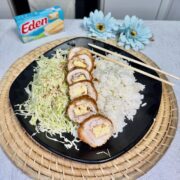
  • Cheesy Chicken Katsu Recipe Kids Will Love
  • 10 FAQs Before Watching Jesus Christ Superstar Manila
  • Jesus Christ Superstar Merchandise and Prices

Home and Living

Waffles with Chicken Strips Meryenda For Kids

Cheesy Chicken Katsu Recipe Kids Will Love

Ham and Cheese Sandwich Recipe

Blog Buzz & Media Updates

Abi Marquez Launches Her Official Apron as Hedley & Bennett’s First Filipino Collaborator

Robinsons Department Store Back To School Promo

Solaire Promo: Free Jesus Christ Superstar Tickets

Get more mommy stories and parenting tips straight to your inbox:

Useful Links

  • Kids
  • Home & Living
  • Parenting
  • Personally Pehpot

PSA Birth Certificate Delivery Service

PSA Birth Certificate Delivery Service

SEARCH MY WEBSITE

· Copyright © 2026. Site brewed with love by Squeesome Design Studio ·